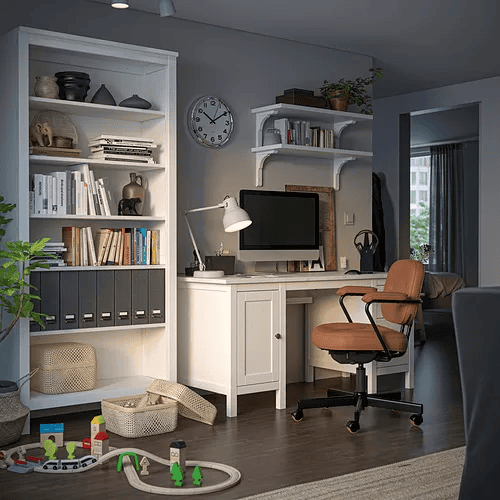
A home workspace is any dedicated spot at home that helps you work comfortably, whether that's a desk, bedroom corner, living room, or dining table. This guide covers six essentials: the work spot, surface, chair, lighting, storage, and simple ways to separate work from home life.
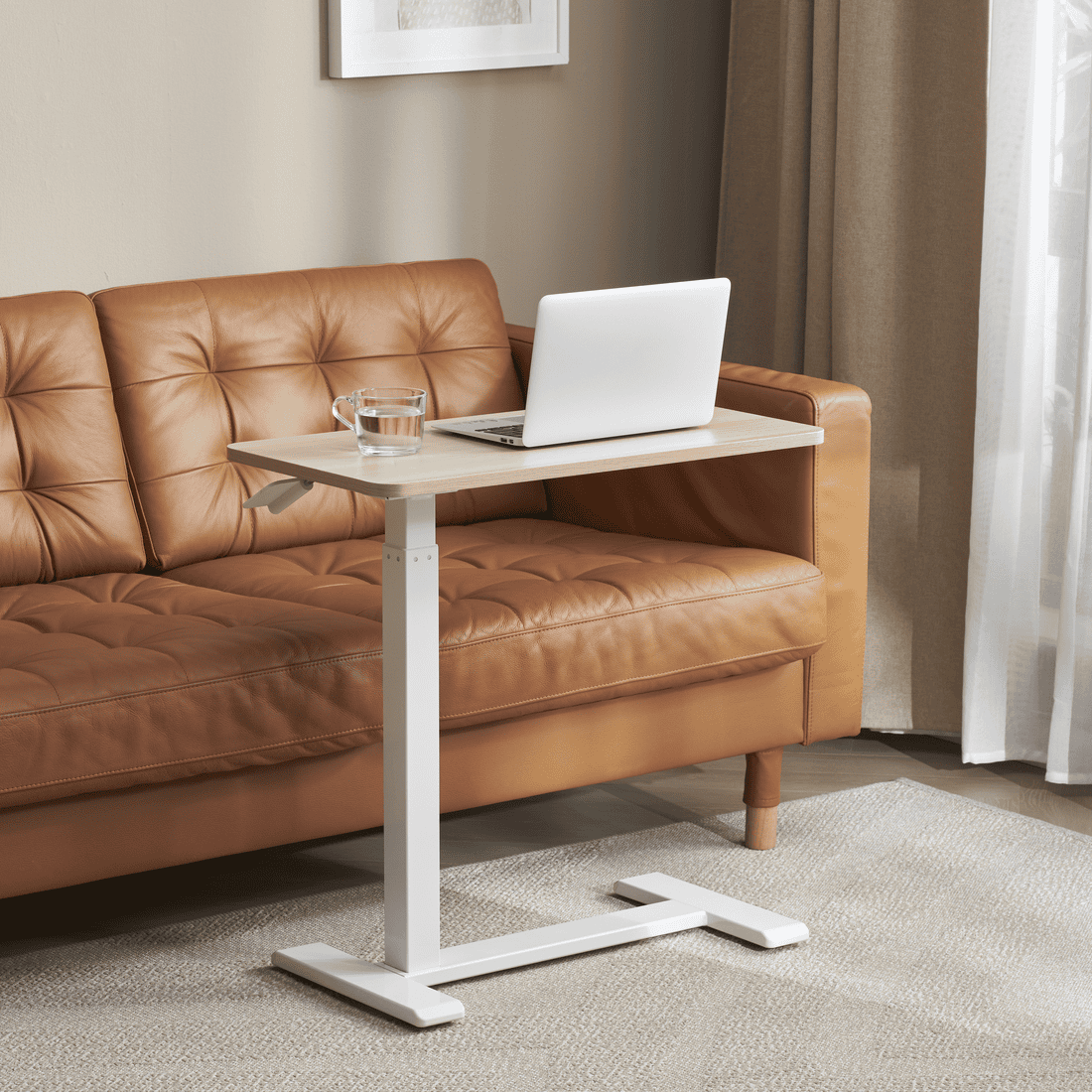
Caption: A home workspace does not always need a separate room. A bright, tidy, easy-to-use spot can become a comfortable work corner for everyday tasks.
The benefits of a home workspace: better focus and an easier way to unwind
Combining a workspace and a resting area offers many benefits, both for your physical and mental health. Having a dedicated space to work and unwind helps you reduce stress, improve sleep quality, and maintain your overall well-being.
This kind of space allows you to stay more focused while working and unwind more easily when resting. In this article, we’ve rounded up 6 simple ways to make your home workspace more comfortable, while keeping your productivity high.
6 ways to make a home work corner more comfortable, fixed or flexible
A home work corner can feel more comfortable with 6 simple things: choose a spot with fewer distractions, prepare enough work surface, use a chair that supports your body, adjust the lighting, prepare storage, and create a small boundary after work.
Your setup does not need to look perfect. What matters is that the spot helps you work comfortably when you need it, then returns easily to being part of your home when work is done.
1. Choose the spot with the fewest distractions
A low-distraction work spot is not crossed too often, not too close to distractions like the TV, and still has enough room to sit, open a laptop, and move the chair. This kind of spot helps you start working without constantly moving things around or adjusting your position.
Before choosing your work spot, check a few things:
- How busy is the area? Choose a spot that is not used as a main walkway. If the home is rarely fully quiet, try the side of the room that people pass through less often.
- Is there enough light? A window area can help during the day, but make sure the light does not reflect directly on the screen. If the area is dim, add a work lamp.
- Is there room to sit and move? Make sure the chair can still be pulled out, your legs can move, and the table does not block the main path at home.
- Can work items be put away afterward? This matters if your work spot is the dining table, living room, or bedroom. Choose a spot where work items can return to a tray, box, or small storage after you finish.
A few areas at home have their own benefits and things to watch:
- A bedroom corner can be good for focused work because it is usually quieter. It may need a small boundary so work does not blend too much with rest.
- A side of the living room can be good for flexible work because it is easy to access. It can also be easier to interrupt because of family activities.
- A window area can be good for natural light and video calls. Check the direction of the light so the screen does not glare.
- A dining table can be good for temporary focused work. Work items should be easy to move so the table can return to meals.
If you have a fixed workspace, choose one steady spot you can use again and again. This makes it easier to arrange the desk, chair, lamp, and storage more consistently.
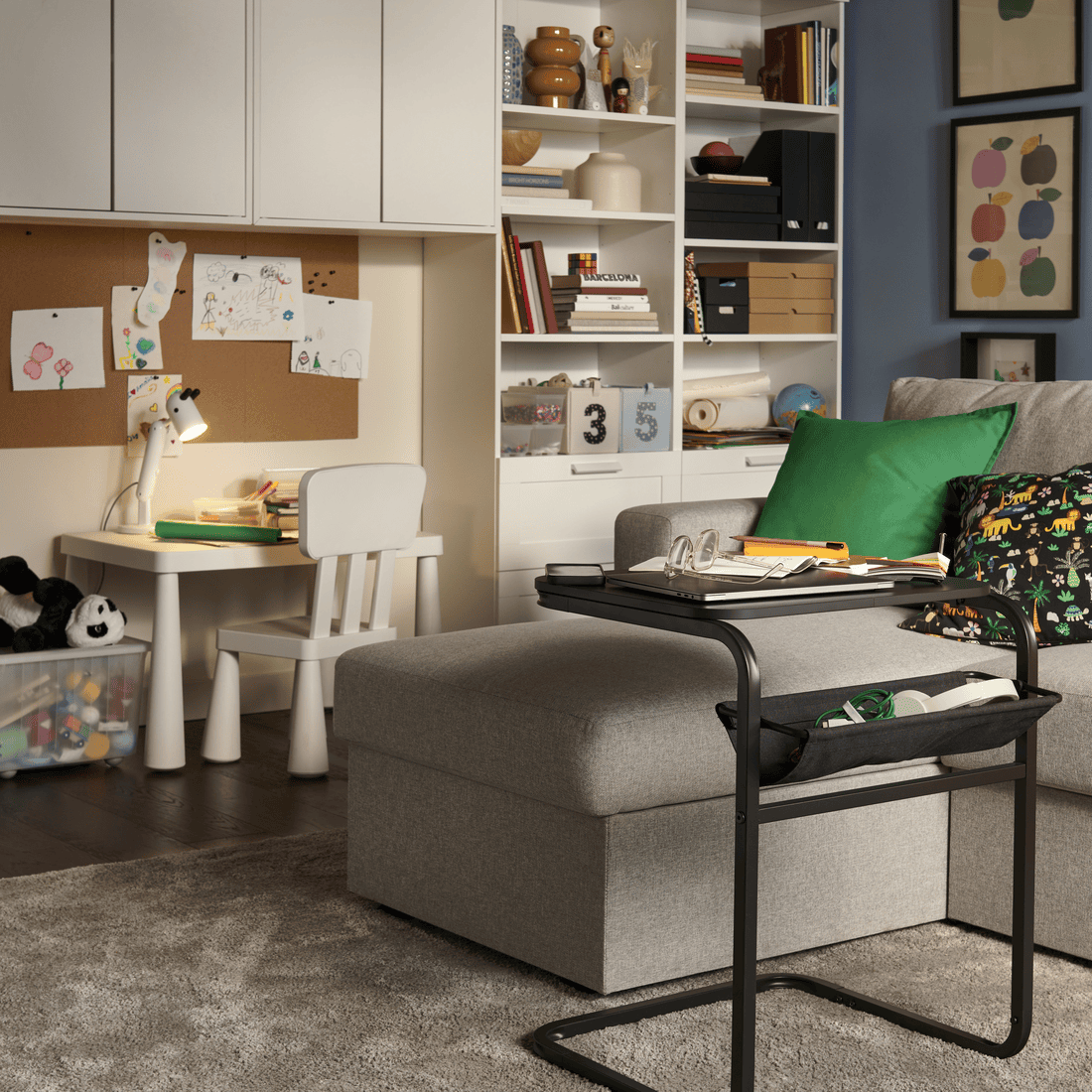
Caption: The living room can also become a temporary work area if you feel comfortable working from the sofa. A portable table keeps your laptop, notebook, or drink within easy reach.
If space is limited, that is okay. Changing the direction you sit can already help. Facing a wall, a side window, or a quieter side of the room can make the work area feel clearer without adding a large divider.
2. Use a work surface with enough room, even if it is the dining table
A comfortable work surface is one that gives your laptop, mouse, and notebook enough room to fit naturally.
The goal is not a bigger desk. The goal is having enough space to work without hunching forward, squeezing into a corner, or constantly shifting things around.
Many people work from a dining table, and that can work well too. A storage box like KUGGIS can help keep chargers, notebooks, pens, and headphones together, so the table can easily switch between work time and family time.
If you like working from different spots around the home, a portable table like BJÖRKÅSEN or a laptop support such as ÖJULF can help create a more stable surface without setting up a permanent workspace.
3. Choose an ergonomic chair that supports you through longer sitting
A work-from-home chair should have an ergonomic design: letting your back rest, your feet touch the floor, and your body avoid leaning forward over the laptop all the time.
Chair comfort greatly affects your productivity. An uncomfortable chair can cause backaches, neck strain, or muscle tension. Therefore, choosing an ergonomically designed office chair is a wise choice for working from home over longer periods. It also fits well at a dedicated desk, dining table, or any corner of your home.
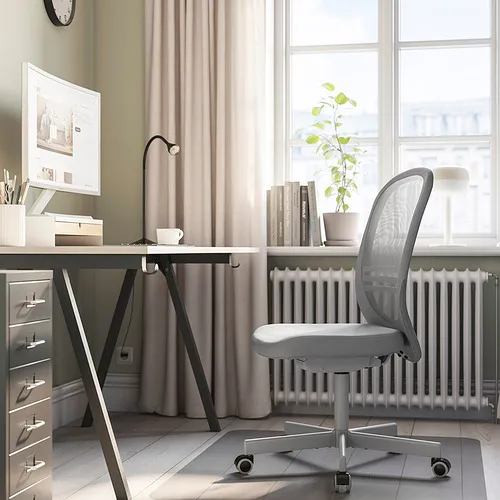
Caption: If you work for long hours in the same spot, a chair with a supportive backrest and steady seat can help your body feel more supported.
If you are still using a dining chair, that is perfectly fine. A dining chair can still work with a few small adjustments: add a seat cushion, place a small pillow behind your back, or use a footrest if your feet do not sit comfortably on the floor.
4. Set up lighting so your screen, notes, and eyes stay comfortable
Proper lighting setup is key to creating a comfortable and functional workspace: light levels do not reflect off computer/laptop screens, printed documents and handwritten notes remain easy to read, and your eyes stay comfortable without tiring quickly during long hours of screen time.
Make sure your workspace has adequate lighting, whether from natural sunlight or artificial fixtures. Use a desk lamp or pendant lamp with a minimalist design to brighten your workspace cleanly.
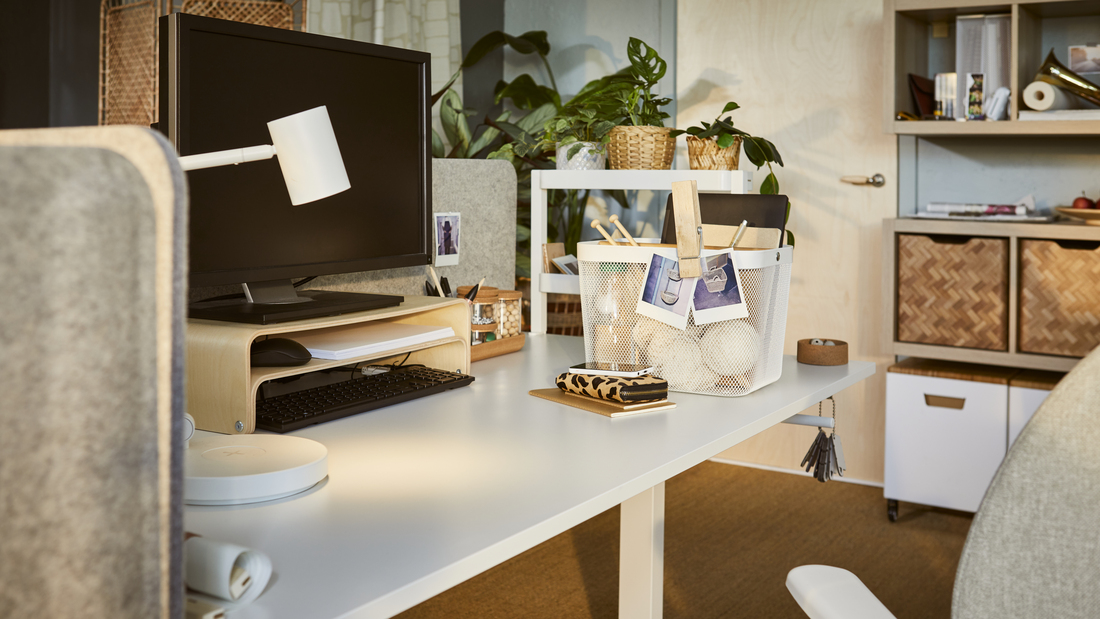
Caption: A comfortable work corner often starts with enough light and a clearer work surface. A desk lamp helps brighten the area, while VATTENKAR raises your laptop and creates extra storage space underneath for notebooks, headphones, and everyday work essentials.
In the late afternoon or evening, the main room light is often not enough for work. A work lamp helps brighten the desk area without making the whole room too bright. Aim the light toward the desk or keyboard, not directly at your eyes or screen.
For more detailed ideas, explore Tips and benefits of using lighting in a home workspace.
5. Prepare work storage that is easy to reach or easy to carry
Work storage serves as a dedicated "home" for chargers, stationery, earphones, documents, and notebooks after work. This prevents work items from scattering across the dining table, sofa, bedroom, or living room. If your workspace changes often or you still use the dining table, a box like KUGGIS keeps everything collected in one place and easy to move whenever needed.
The goal is not just a tidy table. Storage gives you one dedicated place for work essentials, making starting and ending work feel lighter. Pick up one container, start working. Put everything back when you finish. A little more order brings greater peace of mind.
For a dedicated desk, organizers like DRÖNJÖNS for stationery, VATTENKAR for daily work supplies, or SÄTTING to manage cables and chargers help keep your tabletop organized.
6. Create a small boundary between work time and home time
A small work boundary helps signal when it is time to work and when it is time to stop. It does not need to be a room divider or a separate office. For a fixed desk, the boundary can be a desk lamp, desk direction, small shelf, or organizer. For a flexible setup, it can be a small habit you do after work.
For example, close the laptop, tidy the charger, put the notebook in a box, and turn off the work lamp. These small signals help the dining table return to meals, the sofa return to relaxing, and the bedroom return to rest.
A simple boundary is enough. The helpful part is making sure work does not stay visible in every corner of the home after the day is done.
Check your work corner before buying new pieces
Sometimes, a work corner can feel better with a small change first, like turning the chair in another direction, adding a desk lamp, or preparing one small box for chargers and pens.
| What to check | What to watch for | What you can try |
|---|---|---|
| Work spot | Crossed often, close to the TV, close to the bed, or too busy | Move to a quieter corner, change the direction you sit, or choose 2 better work spots |
| Work surface | Too small, fills up quickly, or used for both meals and work | Use a work tray, slim desk, folding table, or desk with drawers |
| Chair | Back cannot rest, feet dangle, or body leans forward | Add a cushion, use a footrest, or choose a chair with a backrest |
| Light | Screen glare, dim room, or light not aimed at the work area | Change desk position, add a work lamp, or use a sheer curtain |
| Storage | Chargers, papers, pens, and home items mix together | Use a pouch, tray, box, wall shelf, or pegboard |
| Boundary | Work blends with eating, sleeping, or relaxing | Use a desk lamp, small shelf, rug, or end-of-work routine |
Not everything needs to be replaced at once. If the dining table fills up quickly, start with a work tray or box. If you move around often, choose storage and lighting that are easy to move.
Which spot at home works best for working?
The best spot for working at home is the spot that fits your task: a quieter bedroom, a living room corner, a dining table, or an area near a window with natural light.
Ideally, a workspace should be located in a quiet area away from distractions. Whichever home spot you choose, make sure it provides enough space for your desk and chair without disrupting other activities at home.
Choosing the right location helps you create a conducive work environment that supports productivity.
Here are several home workspace recommendations to consider:
A bedroom can work for focus if the rest area stays separate
A bedroom can become a quieter work spot if the desk faces a wall, window, or side of the room that does not look straight at the bed. This helps the work corner feel like it has its own job, even when it is in the same room as your rest area.
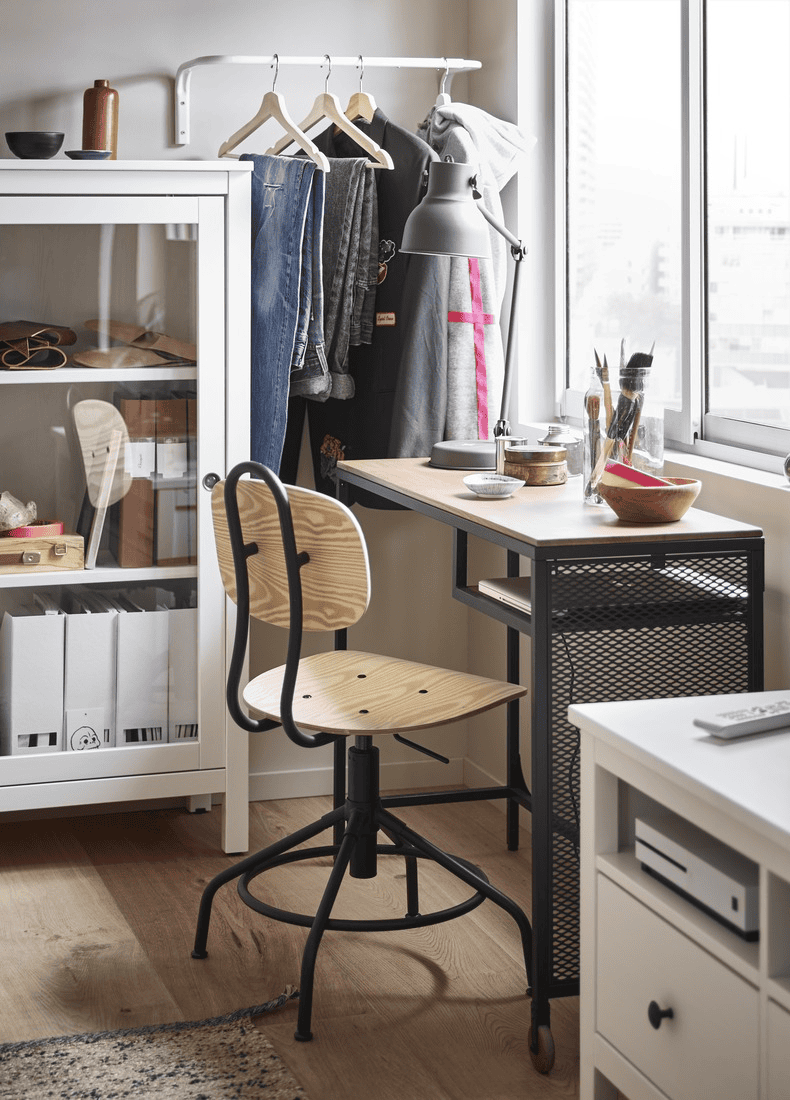
Caption: Sometimes, one small corner is enough to become a favorite work spot. Add a desk, chair, and lamp that suit the space so the area feels clear without needing a separate room.
Tip: When work is done, put away the laptop, charger, and notes so the bedroom does not feel like an office all day. A desk lamp, small storage, and an easy-to-move chair can help create a simple boundary.
The living room can become a flexible spot for lighter work
The living room or lounge can be a good choice when you need a more relaxed place to read documents, reply to emails, outline ideas, or open your laptop for a short task between home activities. To keep it comfortable, prepare a steady surface for the laptop, enough light, and a sitting position that does not make your body tired too quickly.
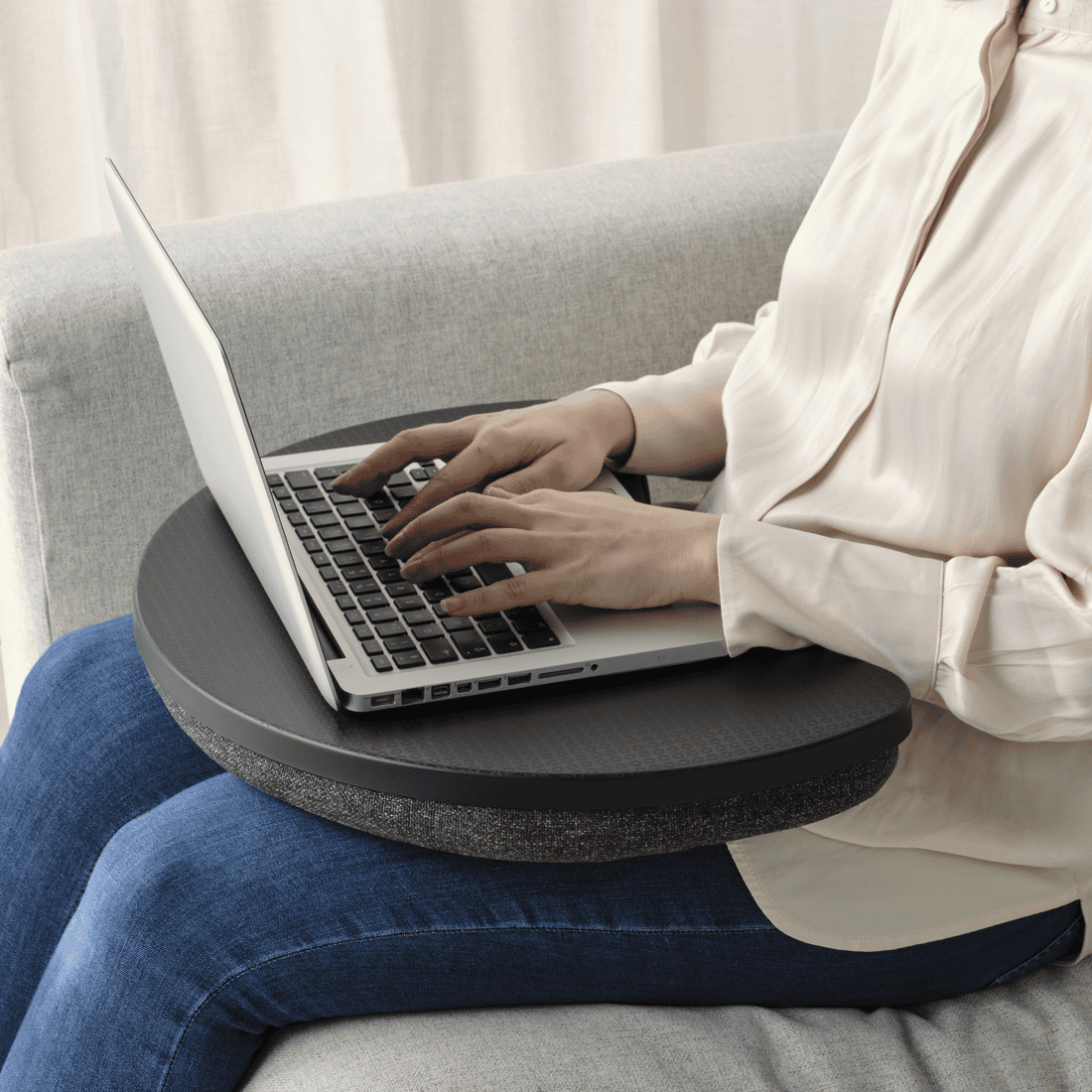
Caption: For those who frequently switch spots while working from home, the ÖJULF laptop support adds comfort when working from the sofa.
Tip: If you work from the sofa, a laptop support or portable table can help keep the laptop off your lap for too long. A small tray can also hold a mouse, drink, or notebook. When you are done, put the work items away so the living room still feels like a place to gather and relax.
The dining table can also be a temporary work spot
The dining table often makes the most sense when there is no dedicated desk yet. It usually has enough surface for a laptop, notebook, and drink. Since it is also used for meals or gathering, work items should be easy to move after work.
Try keeping one tray, pouch, or small box for chargers, earphones, pens, and notes. When you start work, just take that one container. When you finish, everything goes back in. The dining table can return to its usual job without needing a big clean-up every day.
A window spot is nice for daytime work, as long as the screen does not glare
A spot near a window can feel good for work because it brings in natural light. It can help when reading, writing, or working on a laptop during the day. Every home has a different light direction, so check the screen from where you sit.
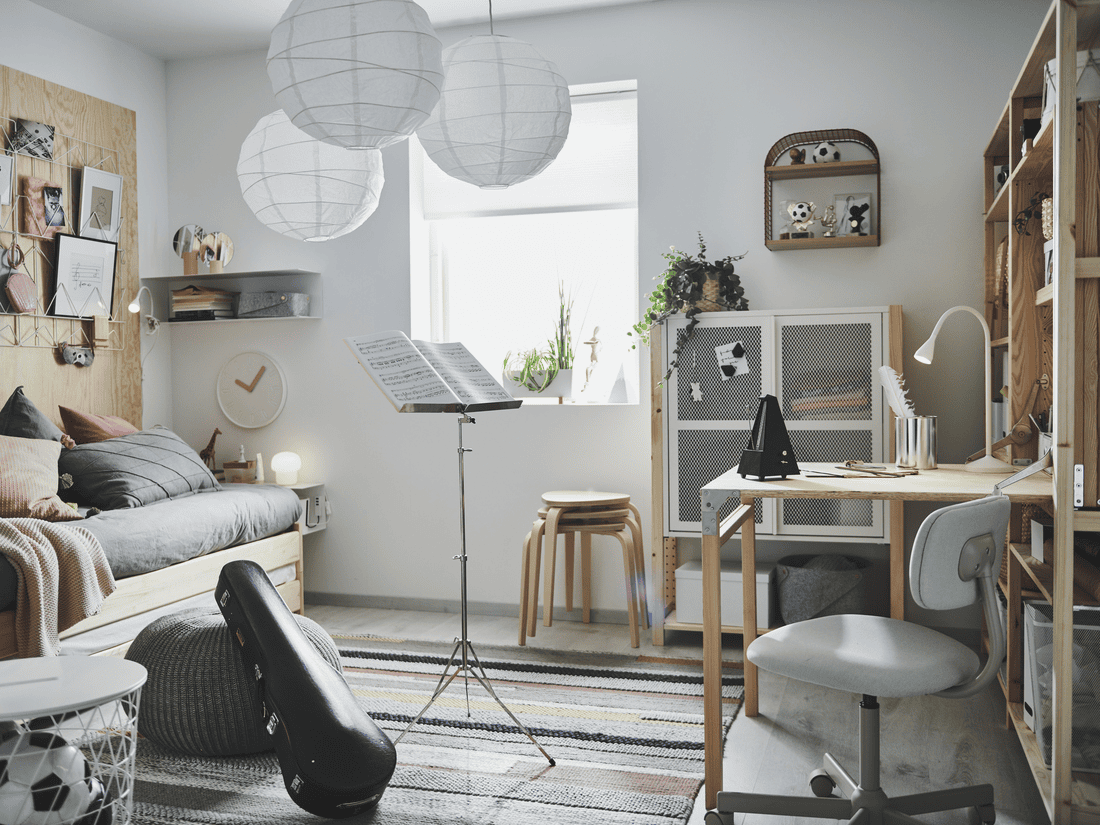
Caption: A window spot can help a workspace feel brighter during the day. Make sure the light does not reflect directly on the screen so your eyes stay comfortable.
A small corner can work if it is still easy to move around
A small corner can become a work area if there is still enough space to sit, open a laptop, and move around it. For this kind of area, choose pieces that do not make the room feel crowded, such as a slim desk, folding table, corner desk, chair that tucks under the desk, wall shelf, or small cabinet.
Start with what you need most: a place for the laptop, a sitting position that feels comfortable enough, and enough light to work. If it starts to feel full later, add small storage such as a box, wall shelf, or tray.
For more ideas, explore Tips for setting up a home workspace.
What makes a home work corner feel less comfortable?
A home work corner can feel less comfortable when the sitting position, lighting, work items, and home activities get in each other’s way. The signs are usually easy to notice: your body gets sore quickly, the table fills up, your eyes feel uncomfortable, or your focus keeps breaking.
The good thing is that each one can be checked on its own. You do not need to rearrange the whole home at once.
A sore body may mean the desk and chair do not fit well yet
Your body can get sore when the desk and chair height do not support each other. A desk that is too high can make your shoulders rise. A desk that is too low can make you lean down. A chair that is too high can leave your feet hanging, while a chair that is too low can make your arms work in an uncomfortable position.
Check from your sitting position:
- Can your back rest against the chair?
- Can your feet touch the floor?
- Can your hands type without your shoulders lifting?
- Does the laptop screen make your neck bend too far down?
Tip: Start with a small adjustment. Add a cushion, use a footrest, or change the laptop position so your body does not have to “give in” while you work. You do not need to replace all the furniture right away.
The table fills up fast when work items have no home
A table fills up quickly when chargers, papers, pens, earphones, and household items all share one surface. This is common at home, especially when the same table is used for meals, studying, or family activities.
If everything keeps staying on the table, the work corner can feel cramped even when the table is actually big enough. Here are a few things that can help:
- a tray for items you use often
- a pouch for chargers, earphones, or small cables
- a box for papers and notebooks
- a small drawer or shelf for backup items
Tip: Give work items one place to return. Daily items can stay close, while things you do not use often can go somewhere else. This makes it easier for the table to feel clear again after work.
Eyes can get tired when the light is too dim or too bright
Eyes can get tired when the room is too dim, the lamp is too bright, or light reflects on the screen. The main room light is usually meant to brighten the whole room, not specifically for reading, typing, or looking at a screen for a long time. A work corner may still need extra light.
Check the light from your sitting position, not just while standing:
- Does the screen look clear?
- Is there glare on the screen?
- Are your notes or keyboard bright enough?
- Do your eyes feel tired after a few minutes?
Tip: Place the lamp beside the work area and aim it at the table, not directly at your eyes or screen. If you work near a window, moving the table or laptop a little can help reduce glare.
Focus can break when the work area is also a shared home area
Focus can break when the work area is located in spaces also used for watching TV, dining, playing, or family gatherings. Distractions stem from family conversations, electronic noise, frequent footsteps, or surrounding items (gaming consoles, TV, radio, etc.). Even so, small boundaries can help minimize these distractions:
- Use a desk lamp as a visual signal to yourself and others that you are working.
- Face your office chair toward a quieter side, such as a wall, window, or room divider.
- If you need to change spots, keep work items in a single tray or box so moving between rooms is effortless and you can begin working immediately.
- Agree on dedicated work hours when you need quiet focus time in the room.
Tip: A small boundary helps the space have different modes. During work, the area is ready to use. After work, items go back in place and the home does not keep feeling like a workplace.
How do you keep a home workspace tidy after work?
A home workspace is easier to keep tidy when work items have a steady place and the table is not left full after use. This matters most when your work corner is also used for meals, relaxing, sleeping, or family activities.
Basic storage to make a work corner easier to tidy
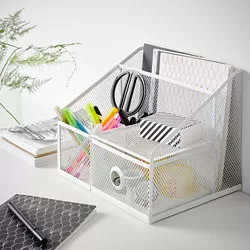
Pen and small-item holder
DRÖNJÖNS pen cup
- Best for
- pens, small scissors, sticky notes, or little items you use often while working.
- Watch out for
- a pen cup like DRÖNJÖNS works well for a fixed desk or a work corner you use often. Small items stay easy to reach without taking over the tabletop.
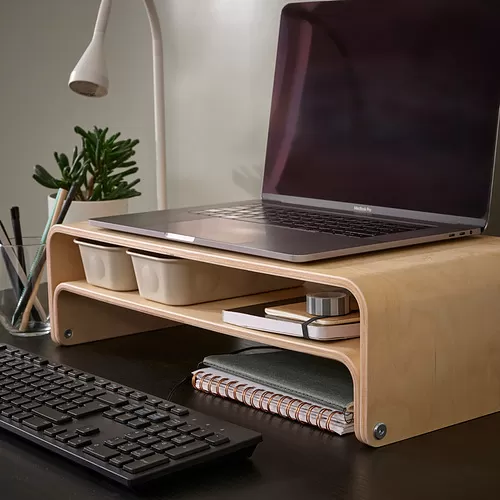
Desk organizer
VATTENKAR laptop stand
- Best for
- storing pens, a laptop, small cables, earphones, notes, or daily work items in one place.
- Watch out for
- for pencils, pens, and other small supplies, it helps to use a small cup or tray before placing them inside this storage drawer.
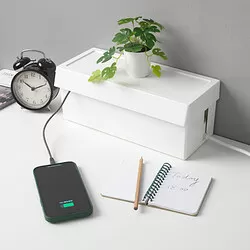
Cable organizer
SÄTTING cable box
- Best for
- chargers, laptop cables, adapters, or a small power strip near the work area.
- Watch out for
- a cable management box like SÄTTING helps if your work corner often looks full because of cables. Tidier cables can also make the desk feel more open.
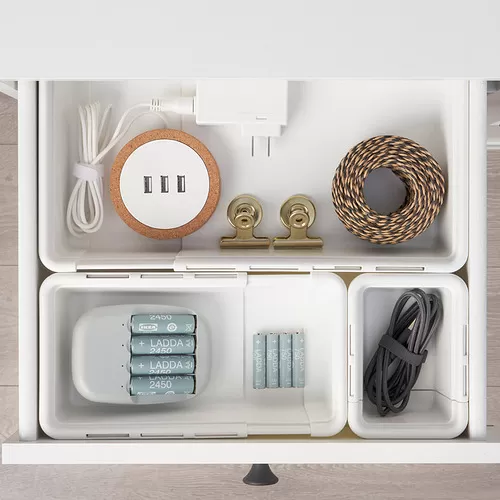
Box for a drawer or shelf
KACKLA box
- Best for
- chargers, pens, earphones, small notebooks, or work items you want to keep in a drawer.
- Watch out for
- a box like KACKLA works for a fixed desk or a dining table used for both work and home life. After work, items can go into the box or drawer so the table feels clear again.
Keep work items in the same storage
Work items like chargers, pens, notebooks, and documents should return to the same place after use. For a fixed desk, use a small drawer, desk shelf, or organizer. If you move around, use a tray, pouch, or lightweight box that is easy to carry.
This way, you do not need to search several corners of the home the next morning. Everything has a place to return.
Leave some open space on the table
A less crowded table gives the laptop, mouse, and your hands room to move. Items you do not use often do not need to stay on the table. Store them in a drawer, box, shelf, or organizer so the surface stays open.
If the table is also used for meals or family activities, clear it again after work. It is a simple habit, but it helps the table return to its original use.
Use a small signal that the workday is done
A small signal can help close the workday, especially if the workspace is in the bedroom, living room, or dining table. For example, turn off the work lamp, close the laptop, tidy the cables, return the chair, then put work items into a box.
Follow the way you work at home
Setting up a home workspace can start with the corner you use most often. Check the things you feel right away: whether the table has enough space for your laptop, the chair feels steady, the light does not make your eyes tired, and work items are easy to put away afterward.
Once one corner feels more ready, working from home usually feels a little lighter too. Start with one spot, then adjust it slowly around your work routine and the way your home is used.
FAQs: set up a home workspace
Start with the work corner you use most often