Good cable management always starts with mindset, not tools. The following principles help you organize cables in a tidy, appropriate, and maintainable way as systems grow.
-
Plan cable routes: define paths from power sources to devices, choosing the shortest and safest routes without interfering with room activities.
-
Separate cable types: distinguish data cables from power cables to simplify tracing and, in some cases, reduce electromagnetic interference.
-
Maintain accessibility: ensure cables can be disconnected, replaced, or repositioned without dismantling the entire setup.
-
Design for scalability: leave room for expansion, as additional ports, adapters, or devices are often added over time.
-
Prioritize safety and durability: avoid excessive tension, sharp edges, and placements that increase damage risk.
-
Apply consistent rules: establish uniform tying, labeling, and routing standards so others can understand the system easily.
Commonly used cable management solutions
Cable management solutions can be grouped functionally: organizing, routing, protecting, and identifying cables. You do not need to apply everything at once; understanding the ecosystem helps you choose solutions that fit your space without conflict. The table below provides a concise overview.
|
Solution category
|
Main function
|
Typical use cases
|
|
Rack management
|
Maintain airflow and maintenance access
|
Server racks, network racks, IT rooms
|
|
Cable ties and organizers
|
Bundle cables, prevent tangling, allow adjustments
|
Work desks, TV areas, device cables
|
|
Labeling systems
|
Clarify connections for fast troubleshooting
|
Offices, servers, home networks
|
|
Cable routes and protectors
|
Organize paths and protect cables physically
|
Walls, floors, under desks, public areas
|
Cable management for racks and servers
In rack or network rack environments, cable management focuses on airflow and maintenance access. Horizontal organizers guide cables between panels, while vertical routes allow cables to drop cleanly to device positions without blocking ventilation.
In many cases, this structure improves maintenance because technicians can trace cables without disturbing large bundles. In server environments, leaving measured slack reduces the risk of connectors being pulled when equipment is slid out.
For setups with frequent port changes, systems designed for flexibility provide more long-term value than layouts that look tidy but are difficult to modify.
Cable ties and organizers including velcro
Cable ties help keep bundles controlled, but how you secure them determines long-term usability. Velcro is often preferred for its flexibility and reusability, making it suitable for dynamic areas like work desks or device racks.
Single-use cable ties may be effective for fixed installations, but in changing setups they often lead to frequent cutting and replacement. A common professional approach is to secure cables lightly and leave spacing at certain points to maintain access. This keeps cables organized without locking the system when devices need to be added or repositioned.
Cable labeling systems
Labeling allows you to identify cable functions at a glance, speeding up troubleshooting and reducing connection errors. A simple approach is labeling both ends of each cable and applying color codes to distinguish categories such as data, power, or specific applications.
This is particularly helpful when multiple similar adapters are used. In office or server environments, consistent labeling supports team continuity across shifts. While no single format fits all scenarios, consistency usually matters more than excessive detail.
Cable routes and protection system
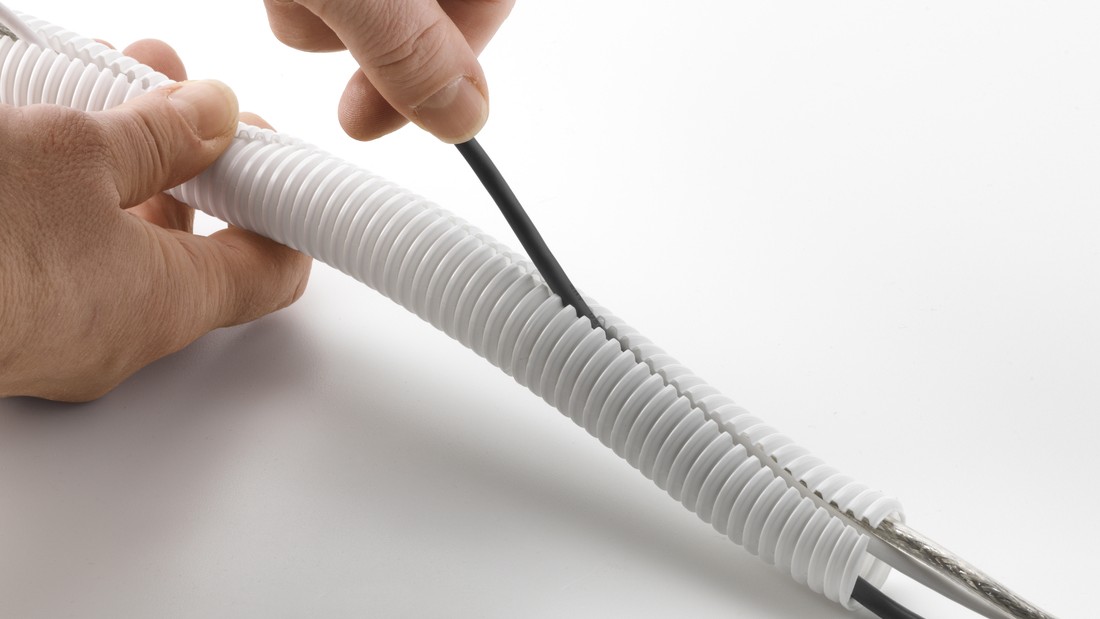
Cable routes and protectors organize pathways while reducing risks from pressure, foot traffic, or abrasion. Trunking and conduits are commonly used to conceal cables along walls or open areas for a clean appearance, while underfloor systems support workspaces that require multiple power and data lines without disrupting movement.
Under desks, simple guards prevent cables from hanging and being pulled. In certain contexts, proper routing also helps avoid sharp bends that can degrade cable quality over time. Ultimately, these systems aim to protect cables from damage while maintaining visual order.
How to choose the right cable management solution for your needs
Choosing the right solution requires evaluating your space, cable volume, and frequency of change. Many people look for the “most complete” option, but the most effective choice is usually the one aligned with actual usage patterns. Use the checklist below as a decision framework.
|
Primary need
|
Situation indicator
|
Relevant solution direction
|
|
Fast cable identification
|
Many devices, frequent troubleshooting
|
Labeling + data/power separation
|
|
Safety in walkways
|
Cables cross foot traffic areas
|
Cable routing and protective covers
|
|
Flexibility
|
Setup changes often
|
Reusable ties + measured slack
|
|
Airflow focus
|
Rack/server environment
|
Horizontal/vertical management paths
|
Best practices to keep cables organized long term
Best practices are usually simple but require consistency. Measure cable lengths accurately to avoid excessive coils that add visual clutter and physical load. Create smooth bends and avoid sharp turns, as repeated stress at the same point can accelerate wear, especially on data cables.
Leave room for expansion by reserving empty paths or attachment points. Apply labels consistently at both ends of cables to reduce reliance on memory. Finally, perform light inspections during device changes or routine cleaning to maintain order without a full teardown.
Common cable management mistakes that are often overlooked
The most costly mistakes are often mindset-related rather than tool-related. Excessively long cables are frequently left coiled, concentrating clutter in one area; controlled routing is usually more effective. Combining data and power cables without separation complicates tracing and, in some cases, introduces signal interference that slows network maintenance.
Skipping labels forces each repair to start from zero, requiring full tracing. Using improvised solutions without planning may look acceptable initially, but as devices increase, the system becomes inefficient and prone to recurring minor damage. In many situations, a few minutes of planning significantly reduces long-term maintenance time.
Read also: How many watts does a refrigerator use? Learn how to calculate it and budget-friendly refrigerator options
Cable management as a long-term solution, not just visual order