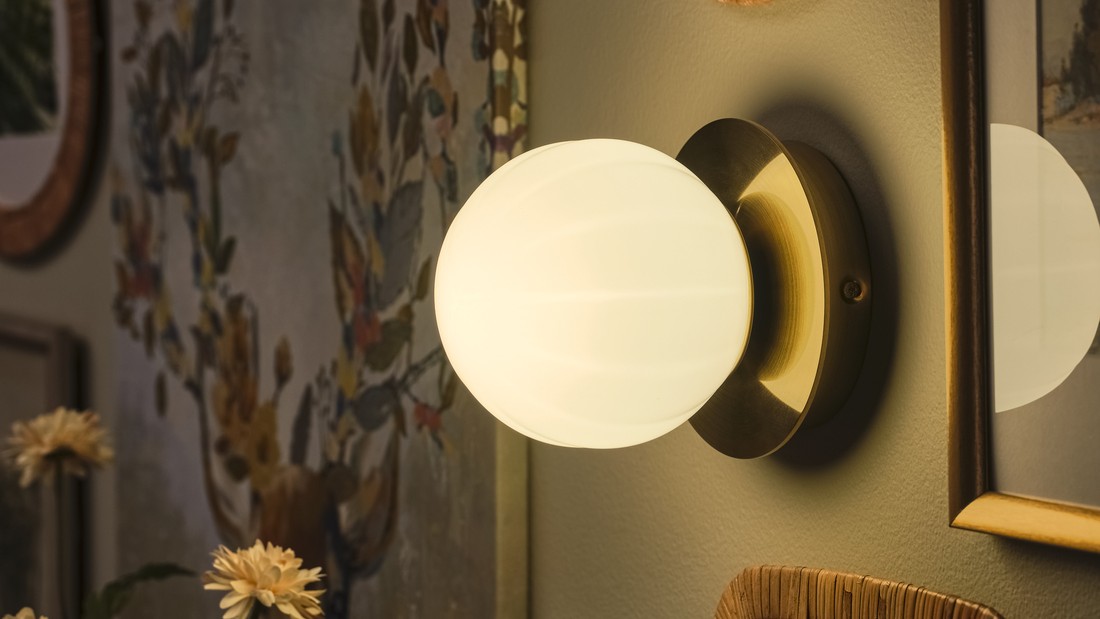
Activities at home, such as reading, working, or resting, require stable lighting to remain comfortable. However, lights that suddenly flicker can disrupt your activities and may indicate a problem with the light bulb or electrical installation.
Flickering lights can be caused by several factors, ranging from loose light bulbs to problems with the electrical installation. To determine the appropriate solution, it is important to identify the cause first.
Explore the symptoms, how to inspect them safely, and lighting options you can consider for your home.
Flickering lights do not always mean that the bulb is damaged. If several lights flicker simultaneously, especially when accompanied by buzzing sounds, a burning smell, or switches that feel hot, stop using them and seek assistance from a qualified electrician.
What causes lights to flicker at home?
Flickering lights are generally associated with problems involving the light source, power regulation components, or electrical connections.
The symptoms may vary. For example, a light may only flicker when first switched on, dim when electrical appliances are being used, or flicker continuously.
Here are several causes you should understand before deciding to replace your lights.
1. The light bulb is not securely installed
One of the causes of flickering lights is poor contact between the bulb and its socket. When the connection is unstable, the flow of electricity to the light may be interrupted, causing the light to alternately brighten and dim.
This condition may occur after replacing a light bulb or when the lamp socket has become worn. If there are no signs of electrical damage, you can first turn off the power supply, wait for the bulb to cool down, and inspect it again without touching any metal parts.
If the socket appears burnt, discolored, or damaged, do not attempt to repair it yourself.
2. Electrical voltage fluctuates
Unstable electrical voltage can also cause lights to flicker. Temporary voltage fluctuations sometimes occur when appliances with relatively high power requirements, such as water pumps or air conditioners, start operating.
You may notice the lights dim briefly before returning to their normal brightness. However, if these changes in light intensity occur repeatedly, affect several rooms, or become more severe, the condition should be inspected by an electrician.
3. LED light components experience problems
LED lights use electronic circuits to regulate the power supply to the light source. One of the components involved is the LED driver, a device that helps adjust the power supply according to the LED's requirements.
If the power regulation does not operate consistently, the light may appear to pulse or flicker. The driver's design and its interaction with brightness controls can influence flickering in LED lights.
For integrated LED lights, problems with internal components generally require inspection or replacement of the unit according to the manufacturer's instructions.
4. The switch or dimmer is incompatible
Some LED lights are designed to work with brightness controls or dimmers. However, not all light bulbs are compatible with every type of dimmer.
When a regular LED bulb is connected to an incompatible dimmer, the light may flicker, particularly at lower brightness levels. Therefore, check the information on the packaging to ensure that the product supports dimming.
5. Problems with the electrical installation
Damaged wiring, loose connections, or deteriorating electrical installation components can also cause lights to flicker. Unlike a problem affecting a single bulb, electrical installation issues may affect several lighting points simultaneously.
This condition should not be ignored. Electrical Safety First explains that continuously flickering lights may indicate loose electrical connections that require professional inspection.
Do not open switches, electrical panels, or wiring connections to perform tests yourself.
6. The electrical circuit is overloaded
Using many electrical appliances on a single circuit can cause the electrical system to operate beyond its intended capacity. One warning sign is lights flickering or dimming when other appliances are switched on.
Pay attention to whether this condition is accompanied by circuit breakers frequently tripping, electrical outlets becoming warm, or unusual sounds. These symptoms may indicate an electrical overload problem that requires professional attention.
Read also: LED living room lighting to create a warm atmosphere.
Why do LED lights flicker even when they are new?
New LED lights do not always produce stable illumination immediately when installed in certain lighting systems. The cause may be related to component compatibility rather than simply the age or quality of the bulb.
For example, an LED bulb that does not support dimming may be installed with a dimmer switch. The system may be unable to regulate the power supply properly, causing the light to flicker.
Check the following three things before choosing a replacement:
-
Compatibility of the socket type, such as E27, E14, or GU10.
-
Support for dimming features and the type of dimmer being used.
-
Power specifications and usage requirements of the light fixture.
If a new light continues to flicker even when installed in a compatible lighting fixture, stop using it and follow the product's warranty or inspection guidelines.
How to fix flickering lights safely
The appropriate way to fix flickering lights depends on the source of the problem. You do not necessarily need to replace the entire lighting fixture immediately, but the initial inspection must still prioritize electrical safety.
1. Turn off the power before inspecting the bulb
If only one light is flickering and there are no signs of danger, start by disconnecting the power supply from the appropriate source. Wait until the bulb has cooled down before removing it.
Check whether the bulb appears cracked, discolored, or has damaged parts. If damage is found, do not use the bulb again.
2. Try a replacement bulb with suitable specifications
If the light fixture uses a removable bulb, you can try a replacement with the appropriate socket type and specifications.
This step helps distinguish potential bulb damage from problems with the lighting fixture itself.
Make sure the bulb's wattage does not exceed the limit specified for the fixture. If the replacement bulb continues to flicker, stop testing and request an inspection by an electrician.
3. Check the compatibility of brightness control features
If the light uses a dimmer, check whether the bulb is designed for brightness adjustment. A dimmable label indicates that a light supports dimming, but it does not automatically mean that it is compatible with every dimmer.
Avoid replacing switches or modifying the electrical installation yourself. Leave changes to electrical components to qualified professionals.
4. Observe the flickering pattern
Pay attention to whether the light only flickers when certain electrical appliances are switched on or whether it flickers continuously. Simple notes about when the flickering occurs, which rooms are affected, and which appliances are being used can help an electrician conduct an inspection.
If the problem occurs in several rooms simultaneously, do not assume that it is only caused by the light bulbs.
5. Seek professional assistance if the problem persists
If the light continues to flicker after being replaced with a suitable bulb, inspecting the electrical installation becomes the next step. An electrician can evaluate the connections, switches, power regulation components, and condition of the electrical circuit using appropriate equipment.
This way, you do not have to take the risk of dismantling electrical wiring or panels yourself.
When should flickering lights be inspected immediately?
The following table can help you identify the initial symptoms and determine more appropriate actions.
|
Symptoms |
Possible causes |
Recommended actions |
|
One light bulb flickers |
Problems with the bulb, contact, or driver |
Turn off the power supply and inspect the bulb |
|
Light flickers when dimmed |
Dimmer incompatibility |
Check specifications and compatibility |
|
Light dims when a water pump starts |
Temporary voltage drop or circuit problems |
Request an inspection if it happens repeatedly |
|
Several lights flicker simultaneously |
Electrical installation or power supply problems |
Contact an electrician |
|
Flickering accompanied by a burning smell or hissing sound |
Potentially serious electrical damage |
Stop using the lights, disconnect the power if safe, and seek professional assistance immediately |
Signs such as excessive heat, burning smells, and hissing sounds require special attention because they may be associated with electrical hazards.
IKEA LED light recommendations for home lighting
After understanding why lights flicker, you may need to replace a light bulb that has become damaged.
IKEA offers several LED lighting options with different socket types, brightness levels, and features to meet your home's lighting needs.
1. SOLHETTA GU10 LED bulb, 230 lumens
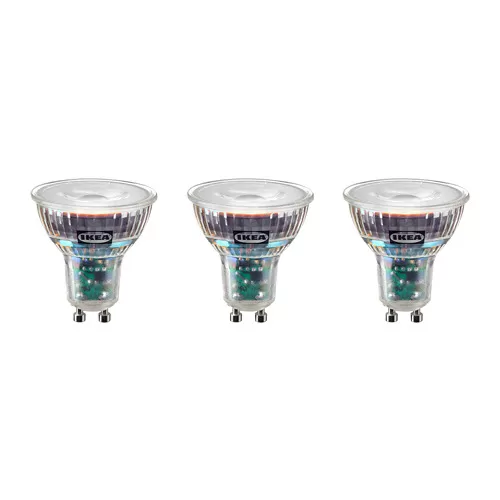
SOLHETTA GU10 provides warm white light suitable for accent lighting or spotlights. This product does not support dimming and has a nominal lifespan of approximately 25,000 hours.
2. SOLHETTA GU10 LED bulb, 345 lumens
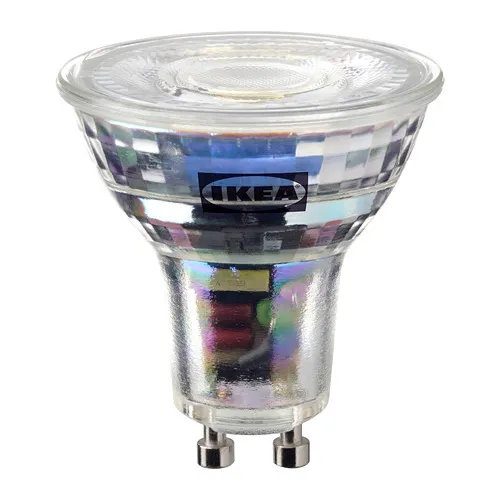
Choose SOLHETTA GU10 345 lumens for homes that use a compatible dimming system. Its warm white light can help create a more relaxing atmosphere in the living room or resting area.
3. SOLHETTA E14 LED bulb, 470 lumens
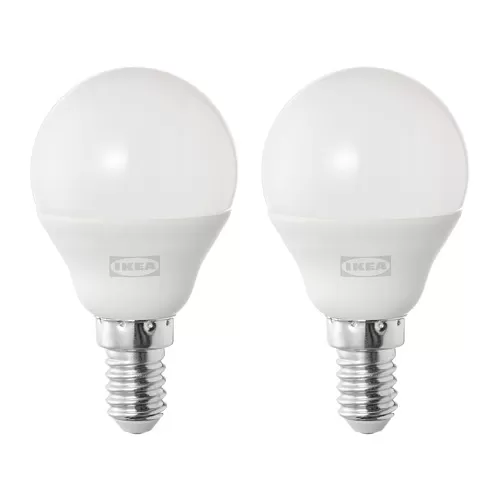
The SOLHETTA E14 470-lumen bulb can be considered for lighting fixtures with E14 sockets. Its warm white light is suitable for decorative lighting and areas that require a softer atmosphere. This product does not support dimming.
4. TRÅDFRI E27 smart LED bulb, 470 lumens
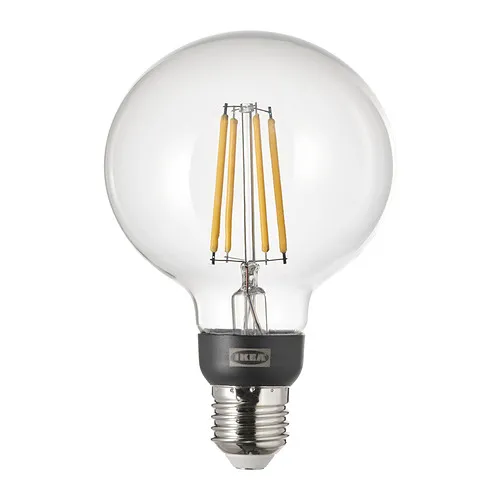
TRÅDFRI E27 470 lumens supports wireless brightness adjustment using compatible IKEA Smart devices. This product is not suitable for use with wired dimmers and requires control accessories sold separately.
Tips for choosing lights for more comfortable illumination
In addition to understanding how to fix flickering lights, it is important to pay attention to bulb specifications before purchasing. Making a suitable choice can help you achieve lighting quality that supports your daily activities.
1. Choose the appropriate light socket type
Every lighting fixture has a different type of socket.
E27 sockets are commonly used in various household lighting fixtures, while E14 sockets are often found in certain decorative lamps. Meanwhile, GU10 sockets are commonly used in several types of spotlights.
Make sure you check the socket type before purchasing. Similar bulb sizes or shapes do not always mean that the products can be installed in the same socket.
2. Adjust brightness levels to your activities
The brightness level of a light is expressed in lumens. The higher the lumen value, the greater the amount of light produced, although the lighting result in a room is also influenced by the beam angle and placement.
For a reading desk, for example, you can use directional lighting. Meanwhile, the living room can combine general lighting with additional lamps to create a warmer atmosphere.
3. Pay attention to the color temperature
Light color temperature is measured in Kelvin (K). This value helps you identify the characteristics of the light produced.
-
2700 K: Warm white for bedrooms or relaxation areas.
-
4000 K: Neutral to cool white for activities requiring visual attention.
-
6500 K: Bluish white for certain lighting needs.
The choice of light color should be adjusted to the function of the room and your visual comfort. Not every area of your home needs to use the same color temperature.
4. Check dimming and maintenance information
If you want to adjust light intensity, choose a bulb that supports this feature and is compatible with its control system. Smart LED lights that use wireless controls may have different requirements from bulbs designed for wired dimmers.
In addition, follow the manufacturer's maintenance instructions. Avoid exposing fixtures to water if they are not designed for damp environments, and always disconnect the power supply before performing simple inspections.
FAQ about flickering lights
Lights may flicker even when other electrical appliances are functioning normally because the problem may only affect a single bulb, socket, or power regulation component. However, this condition does not prove that the electrical installation is entirely safe.
Not always. If the cause is dimmer incompatibility or an electrical installation problem, replacing the bulb alone may not resolve the issue. The cause should be inspected before deciding whether the product needs to be replaced.
In some systems, a very small leakage current or the characteristics of an electronic switch can cause an LED light to illuminate briefly even when the switch is off. Circuit problems can also produce similar symptoms, so an electrician's inspection is recommended if the condition occurs repeatedly.
Flickering lights do not always cause short circuits. However, flickering can be a symptom of electrical problems, such as loose connections or damaged installations, which may pose hazards if left unaddressed.
Use bulbs with suitable specifications, ensure that brightness control devices are compatible, and pay attention to their installation condition.
Create comfortable home lighting with IKEA
Flickering lights can disrupt your activities while also indicating potential problems with your home's lighting system. By identifying the cause, you can determine when replacing a bulb is sufficient and when you need assistance from an electrician.
Once the source of the problem has been addressed, you can choose new lighting according to the function and atmosphere of each room. IKEA offers a variety of LED bulbs, decorative lamps, and smart lighting systems that can be adapted to your needs.
Explore the IKEA LED light bulb collection and discover lighting products that suit your home's style at IKEA.co.id.