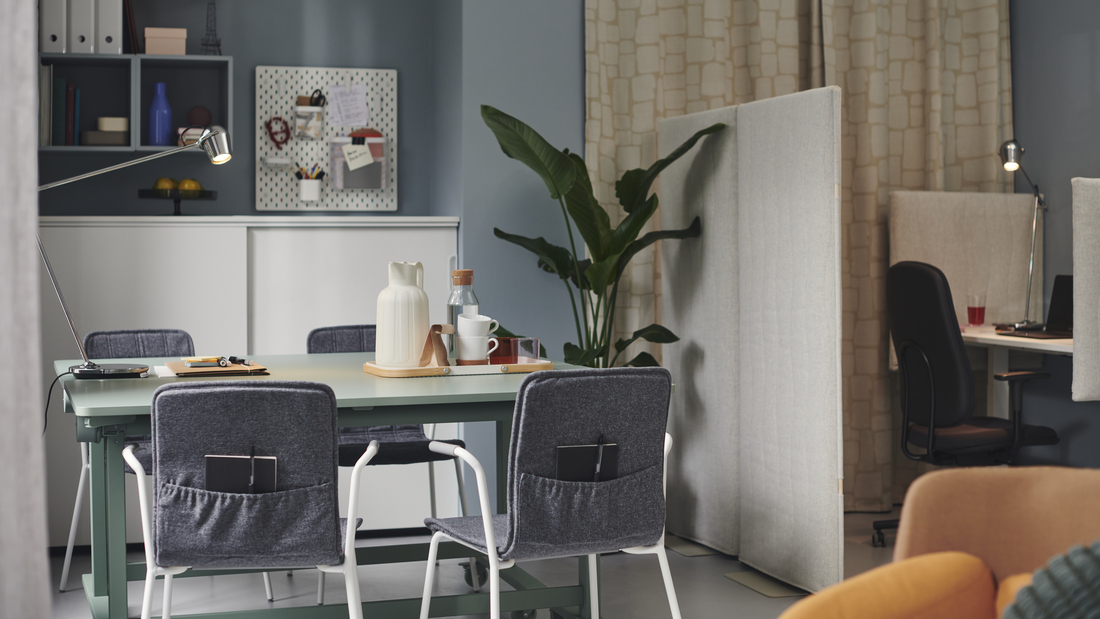
Have you ever leaned back in your office chair and felt the backrest recline too easily, or felt it was too stiff to move? This small issue can disturb your comfort while working. One feature that helps address this is tilt tension.
Let's explore its function and how to adjust it so your chair feels more suited to your body.
Tilt tension adjusts the amount of resistance the chair provides when you lean back, not just determining how far the backrest can recline.
What is the function of tilt tension on a chair?
The main function of tilt tension is to control the level of pressure or resistance provided by the chair as your body moves backward. The higher the tension, the more force is required to lean the chair back. Conversely, lighter tension makes the reclining motion feel easier.
This adjustment helps tailor the chair's response to your body weight, sitting preferences, and activities. On chairs with manual adjustments, resistance can be changed using a knob under the seat. On certain models, resistance can adjust automatically based on the user's body weight.
Therefore, tilt tension is a feature worth paying attention to, especially if you often work in a seated position and want the chair to follow changes in your body position.
Benefits of properly adjusting tilt tension
Tilt tension is not just an additional feature on an office chair. Proper adjustment helps you achieve a more proportional backrest response when shifting from an upright to a reclining position.
Some of the benefits include:
-
Helping the backrest follow body movements with appropriate resistance.
-
Avoiding the sensation of the chair being pushed back too easily.
-
Reducing the need to support your body when the backrest feels too stiff.
-
Making it easier for you to change positions while working.
-
Helping maintain a more active sitting pattern rather than remaining in a single position continuous.
Also read: Guide to choosing an office chair for comfort and productivity
How to adjust tilt tension on an office chair
For chairs with manual tilt tension, you can follow these steps:
-
Start by sitting in a normal working position.
-
Locate the adjustment knob, which is usually found under the seat.
-
Turn the knob gradually to increase or decrease resistance.
-
Try leaning back again after each change.
Avoid turning the knob too far at once. Try adjusting it bit by bit until you can lean back in a controlled motion without feeling like you have to push your body too hard or like you are going to fall backward.
Manual tilt tension vs automatic tilt tension
The main difference lies in how resistance is determined.
With manual tilt tension, you determine the level of tightness yourself using a knob. This system is suitable if you want direct control over the chair's response. Meanwhile, automatic tilt tension adjusts the backrest resistance based on the user's body weight.
The choice between the two does not have to be decided by which one is more advanced. Consider whether you prefer manual control or a mechanism that can adapt without needing frequent adjustments.
Recommended IKEA chairs with tilt tension feature
After understanding the function and mechanism of tilt tension, it is time to choose a chair that fits your needs. IKEA provides several office chair options with manual or automatic tilt adjustments. Each model has distinct characteristics, allowing you to tailor your choice to your work duration, sitting position, and desired level of comfort.
1. MARKUS office chair
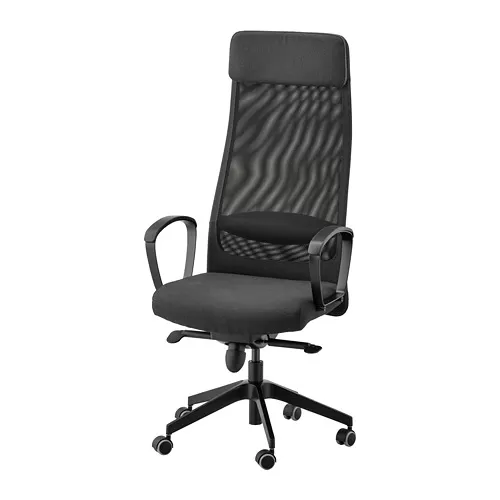
The MARKUS office chair features manual tilt tension that can be adjusted using a knob under the seat. This chair is also equipped with a high backrest, lumbar support, headrest, armrests, and a mesh backrest that allows air to pass through the back area.
2. RENBERGET swivel chair
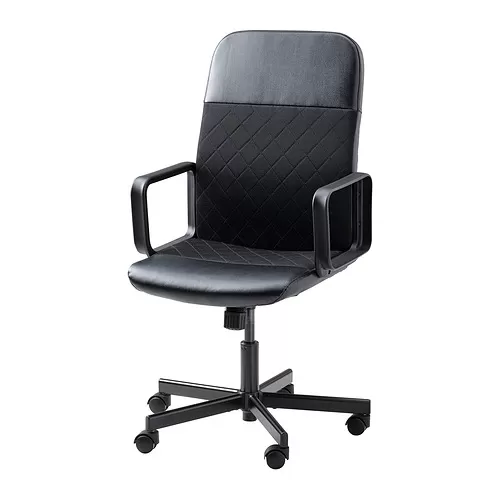
If you need a more compact design, the RENBERGET swivel chair comes with manual tilt tension adjustment.
The knob under the seat can be used to increase or decrease tightness according to your comfort and weight. This chair also features armrests and castors with a locking function when the chair is not in use.
3. ALEFJÄLL office chair
The ALEFJÄLL office chair uses automatic tilt tension. The backrest resistance adjusts based on body weight so you don't need to adjust the tension via a knob every time a different user sits on it.
ALEFJÄLL also features lumbar support, adjustable seat depth, and a synchronized tilt mechanism.
4. HATTEFJÄLL office chair
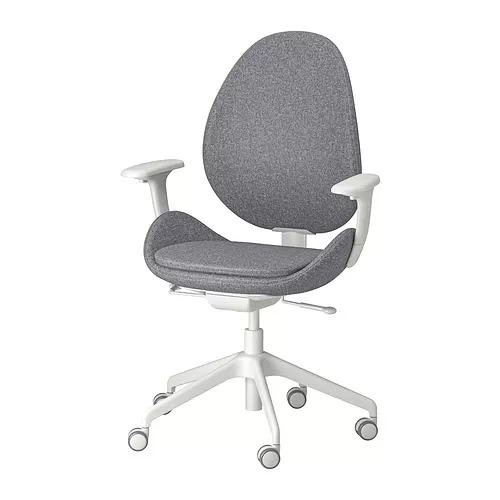
The HATTEFJÄLL office chair with armrests also uses automatic tilt tension. This chair adjusts the backrest counterpressure based on weight and comes equipped with a tilt lock, synchronized tilt mechanism, lumbar support, seat depth adjustment, and 2D armrests.
Also read: IKEA office chair recommendations for various work needs
Don't just pay attention to tilt tension
Although useful, tilt tension should not be the only consideration when choosing a chair. Pay attention to seat height, lumbar support, seat depth, backrest type, armrests, and the chair's size relative to your desk.
The right combination of features helps the chair adapt to your activities and body shape. You can also read the guide on how to choose an ergonomic chair for your workspace before deciding on a model.
Explore the work chair collection at IKEA.co.id and create a more comfortable workspace for everyday use.
FAQ about tilt tension
Tilt tension is an adjustment that determines the amount of resistance a chair provides when you lean back.
No. Tilt tension controls movement resistance, whereas tilt lock is used to lock a specific recline position or mechanism.
Directions may vary depending on the model. Follow the instructions on the chair, then make adjustments little by little while testing the leaning motion.
No. Features and mechanisms vary by model. Check product details before purchasing.
Automatic tilt tension is more practical because resistance automatically adjusts to body weight, whereas the manual version gives you direct control over the tightness level.