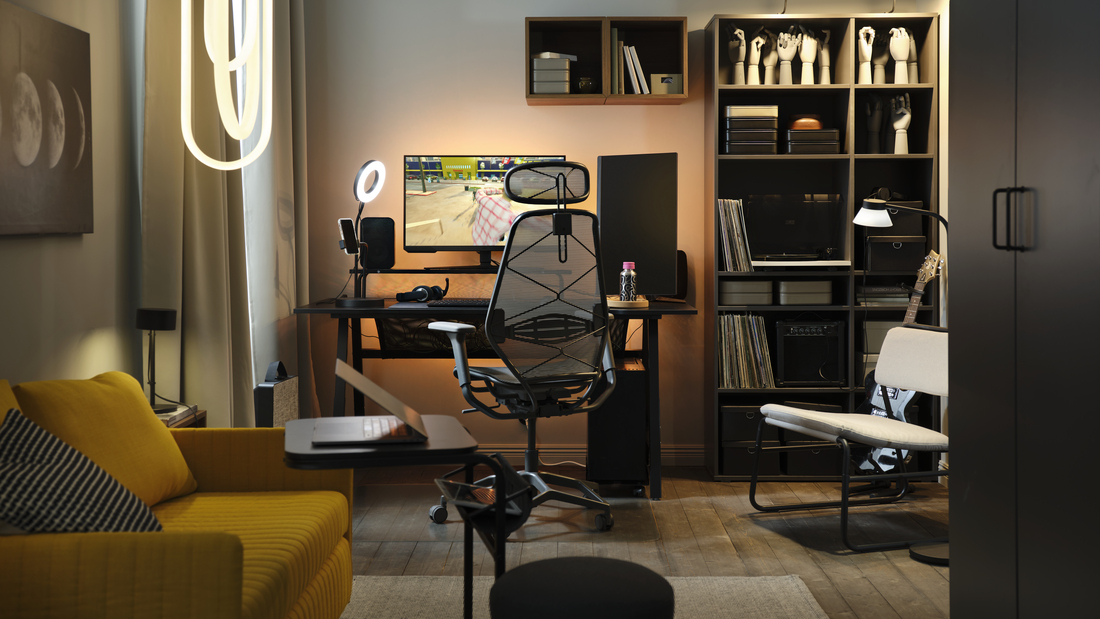
An office chair armrest supports your arms while helping keep your shoulders and body in a comfortable position while working. Proper adjustment allows the armrest to function optimally, especially if you spend long hours at your desk.
The size and position of the armrest should be adjusted according to your height, desk, and daily work activities. To avoid choosing or adjusting it incorrectly, let’s take a closer look at the following guide.
An armrest provides support for your arms while helping keep your shoulders relaxed when working. Its size and position should be adjusted to your body, desk height, and activities to make your chair more comfortable.
What is an armrest?
An armrest is a handrest on a chair designed to support your forearms while sitting. On office chairs, this component supports an ergonomic posture by helping reduce strain on the shoulders and neck.
An armrest also helps keep your arms stable while working or taking a short break. This support helps create a more balanced and comfortable sitting position for extended periods.
Differences between armrests on regular chairs and ergonomic office chairs
The difference between armrests on these two types of chairs can be seen in their adjustability and the level of support they provide. Ergonomic chairs generally offer more features for adjusting the armrests to suit your body and desk position.
Here is an overview:
| Aspect | Regular Chair | Ergonomic Office Chair |
|---|---|---|
| Adjustability | Generally cannot be adjusted. | Can be adjusted according to individual needs. |
| Shape and cushioning | Simple and tends to be firm. | Better follows the shape of the arm and is often cushioned. |
| Postural support | Limited. | Designed to help maintain a neutral posture. |
| Chair integration | Usually an additional component. | Integrated into the ergonomic system. |
Benefits of armrests for body posture
A properly adjusted armrest can help reduce strain on the shoulders and neck while working. Here are some of the benefits for comfort and posture:
-
Provides stable support for the forearms.
-
Helps keep the shoulders relaxed.
-
Reduces tension in the neck and shoulder area.
-
Helps maintain a more neutral sitting position.
-
Keeps the arms comfortable while typing or using a mouse.
-
Supports comfort when sitting for long periods.
-
Helps maintain overall postural balance together with the backrest.
Common types of armrests
Armrests are available in various shapes and levels of adjustability. Understanding the different types can help you determine which features best suit your needs and work habits. Here is an explanation:
1. Fixed and adjustable armrests
A fixed armrest has a non-adjustable position, meaning users have to adapt to the available height. This model is simple and sturdy but less flexible for users with different body types.
An adjustable armrest allows users to change its position according to their needs. This type is more suitable for everyday use because it can be adjusted to the user's height and desk.
2. 2D, 3D, 4D, and 5D armrests
The letter “D” refers to “dimensions” or the number of adjustment directions available on an armrest. The more adjustment directions it has, the more flexibly the armrest can be positioned to suit your body and desk. Here is an overview:
-
1D: Can be adjusted up and down to change the height.
-
2D: Offers height adjustment plus swivel or width adjustment.
-
3D: Offers height, side-to-side or swivel, and forward-backward adjustments.
-
4D: Provides broader adjustment options for height, width, direction, and depth.
-
5D: Generally includes additional functions such as rotation or folding on certain models.
3. Padded and non-padded armrests
Padded armrests provide a softer surface, making them more comfortable to use for extended periods. This type is suitable for users who frequently rest their arms on the armrests while working.
Non-padded armrests are generally easier to clean and have a minimalist appearance. They can be a suitable choice for workspaces that require simple maintenance.
Read also: Essential functions of office chairs to boost work efficiency
Armrest materials and their comfort characteristics
The material of an armrest affects its comfort, durability, and maintenance requirements. Your choice can be adjusted according to how long you use the chair and the conditions of your workspace. Here is an overview:
| Material | Advantages | Disadvantages | Maintenance |
|---|---|---|---|
| Foam/Fabric | Soft and comfortable. | Easily absorbs dirt. | Vacuum and wipe gently. |
| PU | Leather-like appearance and easy to clean. | May crack if the quality is low. | Wipe with a damp cloth and dry. |
| PP | Lightweight, strong, and affordable. | Surface feels firmer. | Easy to clean. |
| Rubber/Silicone | Soft and less likely to slip. | Easily attracts dust. | Wipe with a damp cloth. |
Recommended office chairs with armrests
IKEA offers various office chair options with features designed to support comfort while working. The following models can be considered for both office environments and home workspaces.
1. FLINTAN
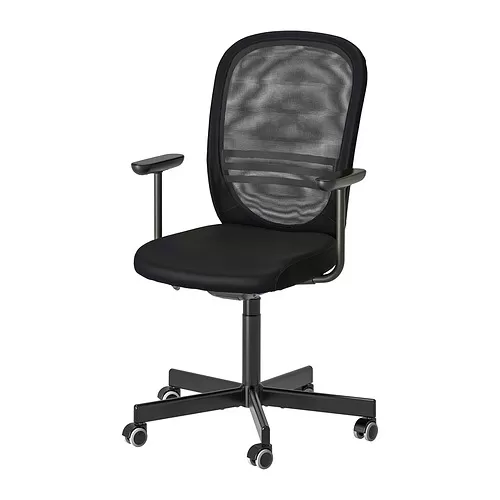
FLINTAN is an office chair that can be adjusted to suit the user's body and is suitable for business use. Its lumbar support helps maintain posture, while the armrests support the forearms.
The chair also features an automatic tension mechanism and synchronized tilt that follows body movements. These features help provide a more comfortable sitting position when working for extended periods.
2. LÅNGFJÄLL
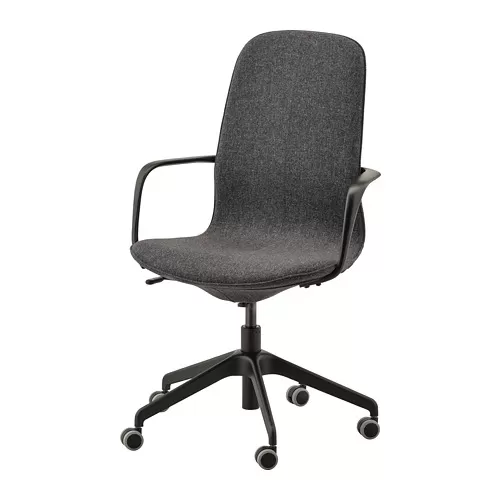
LÅNGFJÄLL features a design that can be adjusted to the shape of the body, along with lumbar support to help maintain proper posture. The chair is also equipped with armrests that help support the forearms.
Its polyester cover also provides a wool-like appearance with a warm feel. This model is suitable for workspaces that require a combination of comfort and a professional look.
3. JÄRVFJÄLLET
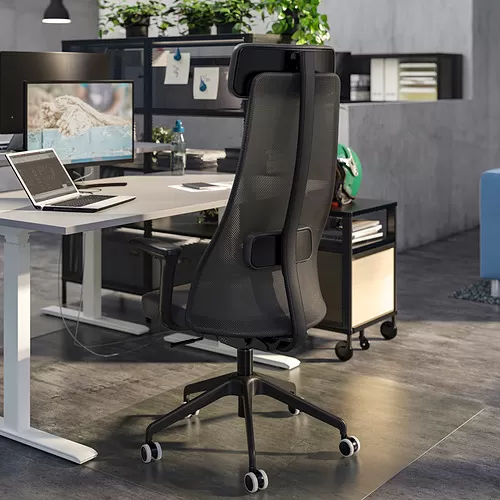
JÄRVFJÄLLET offers various features that can be adjusted to suit individual needs. Its mesh backrest promotes airflow, making it more comfortable when sitting for long periods.
This model also uses a grain leather cover that can become softer over time. Its design is suitable for users who prioritize body support and high-quality materials.
4. HATTEFJÄLL
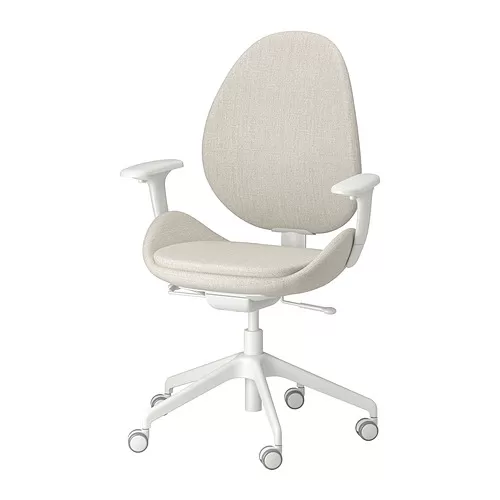
HATTEFJÄLL features an automatic tilt mechanism that adjusts the backrest resistance according to the user's body weight. Its synchronized tilt helps keep the feet flat on the floor when reclining.
The seat depth can also be adjusted to provide better back support and more even weight distribution. These adjustments help create a more comfortable sitting position while working.
5. SMÖRKULL
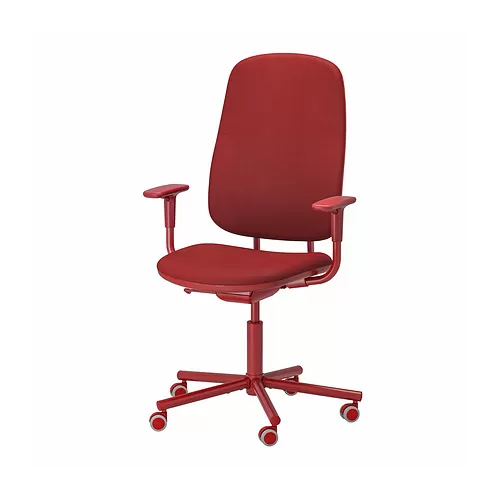
SMÖRKULL features a high backrest that provides support for the body, neck, and head. The chair also includes lumbar support to help maintain good posture.
Its armrests feature 1D adjustment, allowing the height to be adjusted. This feature helps users find a more comfortable position for their arms and shoulders.
Read also: Types of office chairs and their prices for more comfortable work
Recommended armrest position for maintaining good posture
The proper armrest position helps support your arms without causing your shoulders to rise or your body to hunch forward. Adjust the armrest according to your sitting position, desk height, and activities to ensure comfortable support.
Here are some recommendations:
-
Sit with your feet flat on the floor or use a footrest.
-
Keep your knees at approximately 90°.
-
Keep your shoulders relaxed and avoid raising them.
-
Adjust the armrest height so that your elbows are at approximately 90°–110°.
-
Keep your forearms almost parallel to the floor or slightly angled downward toward the keyboard.
-
Position the armrests level with the desk surface or slightly below it.
-
Adjust the chair height first if the desk is too high or too low.
-
Keep your arms close to your body.
-
Keep your wrists in a neutral position while typing.
-
Make sure the armrest supports the middle to rear section of your forearms.
Avoid common armrest usage mistakes
Incorrect armrest adjustments can prevent the armrests from providing optimal support. Pay attention to the following habits to ensure the armrests continue to support proper posture.
-
Armrests are too high, causing the shoulders to rise.
-
Armrests are too low, causing the body to hunch forward.
-
Armrests are too far apart, causing the arms to move away from the body.
-
Placing your entire body weight on the armrests.
-
Letting your wrists hang while typing.
-
Bending your wrists too sharply upward or downward.
-
Allowing the armrests to prevent the chair from being positioned close enough to the desk.
Tips for choosing the right office chair with armrests
An office chair with armrests should be selected based on your body shape and work habits. Consider the following before making your choice:
-
Body posture: Choose an armrest height and width range that suits your body proportions.
-
Height and weight: Make sure the armrests are sturdy and offer an adequate adjustment range.
-
Sitting duration: For use of more than 6 hours, consider an adjustable armrest with at least 2D or 3D adjustment.
-
Desk conditions: Narrow desks or desks with limited space underneath are better suited to armrests that can be adjusted forward and backward.
-
Work activities: Consider your needs when typing, using a mouse, reading, or attending meetings.
-
Workspace: For WFH or shared offices, flexible armrests are easier to adjust to different positions.
Tips for keeping armrests in good condition
Simple maintenance can help keep armrests clean and functioning properly. Inspect them regularly so that any damage or changes in position can be identified early. Here are some tips:
-
Clean PU and PP surfaces with a damp cloth.
-
Use a gentle vacuum cleaner for fabric armrests.
-
Avoid using excessive water on armrest surfaces.
-
Check the screws and mechanisms regularly.
-
Make sure adjustable components do not feel loose.
-
Readjust the armrests after changing your desk.
-
Reevaluate the armrest position if it starts to feel uncomfortable.
-
Take regular movement breaks while working.
Office chair armrest size and proper positioning
Office chair armrests should be considered not only based on their size but also on their ability to adjust the height and position of your arms.
The ideal position allows your elbows and forearms to receive proper support while keeping your shoulders relaxed and wrists in a neutral position.
Choosing an office chair with the right armrests can make your work activities more comfortable. IKEA offers various office chair options with features and designs that can be adjusted to suit your workspace needs. Explore more office chair options at IKEA.co.id.
FAQ
Not necessarily, as the ideal position depends on your height and desk. Generally, the armrests can be adjusted to be level with the desk surface or slightly lower to keep the shoulders relaxed.
A chair without armrests is not necessarily better or worse. The choice depends on your activities, desk position, and comfort while working.
There is no universal replacement timeframe because durability depends on the material and frequency of use. Replacement may be considered when the surface is damaged, the mechanism no longer works, or the armrest no longer provides comfortable support.
Some chairs have removable armrests, while others have armrests integrated into the chair frame. Check the product design and instructions before removing them to avoid damaging the chair components.
Armrests can be a useful supporting feature that provides support for the arms while working. However, the need for armrests depends on each user's activities, desk position, and sitting habits.