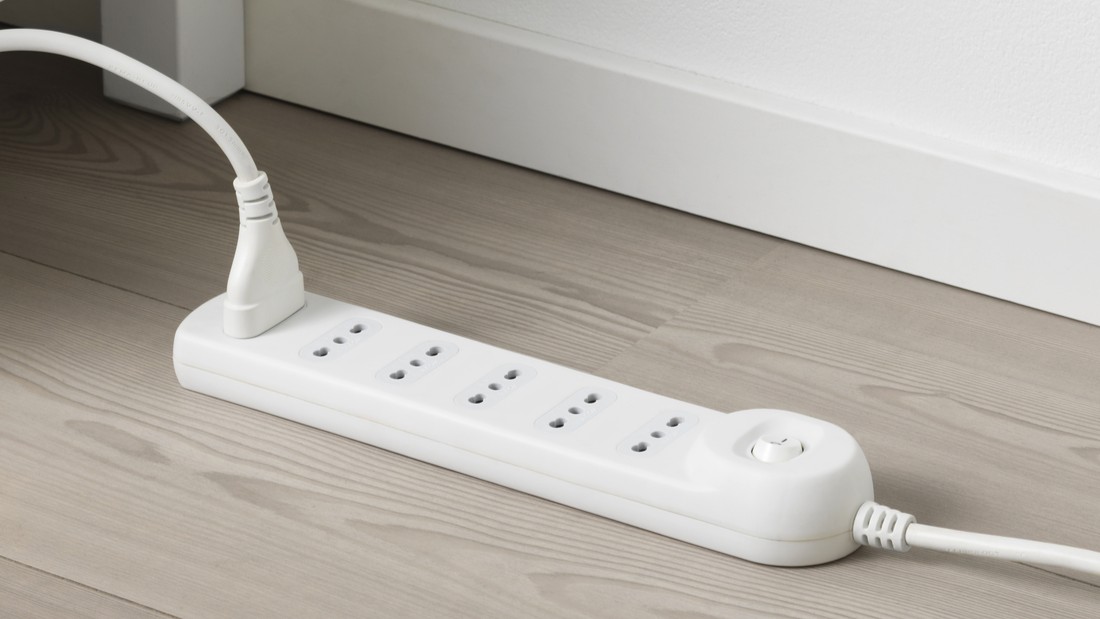
Electrical switches come in various shapes and designs, with different operating mechanisms commonly found in everyday life. Each type has distinct characteristics to suit specific applications.
Understanding the differences between switch types can help you choose the right option for your home. Read on to learn how electrical switches work, explore their different types, and discover tips for choosing the right switch for your needs.
Electrical switches work by changing the contact connections within a circuit to control devices such as lights and electronic appliances. Choose a switch based on its function, electrical rating, device compatibility, and installation safety.
Understanding electrical switches and their main functions
An electrical switch is a component that changes the connections within an electrical circuit. This allows users to turn devices on or off, select connection paths, or send commands to a control system.
In everyday use, the primary function of a switch is most commonly associated with controlling lights and electrical appliances. A switch operates by changing the contact state within a circuit rather than generating electricity or automatically reducing a device's power consumption.
Using switches makes everyday activities more convenient. For example, a reading lamp can be turned on when needed and switched off after use to help avoid unnecessary electricity consumption.
How do switches open and close circuits?
The way a switch works depends on changes in its contact state, which affect the electrical path within a circuit. In a simple circuit, closed contacts complete the electrical path, while open contacts interrupt it.
This relationship can be understood through a basic circuit consisting of a battery, a switch, and a light bulb. The bulb can illuminate when the electrical path is complete and both the power source and the bulb are functioning properly.
Here's how it works:
1. Open contacts: the circuit is interrupted, and the light turns off
When a switch is in the open position, its internal contacts are not connected to each other. This interrupts the circuit, preventing the light from turning on.
In a simple circuit, this position can be used to stop current from flowing to the light. Users can simply change the switch position to reconnect the electrical path.
2. Closed contacts: the circuit is complete, and the light can turn on
When a switch is in the closed position, its contacts are connected, completing the circuit. Electric current can then flow, allowing the light to turn on as long as the other components are functioning properly.
This principle forms the basis of how household light switches operate. Changing the contact position allows users to control devices without having to disconnect the wires directly.
Common types of electrical switches
Electrical switches come in various types with different functions and operating mechanisms. Understanding their differences can help you choose the right device for lighting, machine control, or home automation.
The following are some common types of electrical switches:
1. Based on control configuration
The control configuration determines how many load groups can be operated and where they can be controlled from. The following switch types have different configurations to suit various applications.
The differences are summarized in the table below:
|
Switch Type |
Control Configuration |
Example Application |
Key Difference |
|
Single switch |
Controls one load group from a single location. |
Main bedroom light. |
One group can consist of multiple lights. |
|
Double switch or series switch |
Provides two separate controls in one unit. |
Main light and accent lighting. |
Each lighting group can be operated independently. |
|
Two-way switch or hotel switch |
A pair of switches controls one load group from two locations. |
Staircase or corridor lighting. |
Allows lights to be controlled from two different locations. |
2. Based on operating mechanism
The operating mechanism refers to how a switch is activated. Controls may take the form of a lever, button, rotary knob, or touch-sensitive surface.
The differences are summarized in the table below:
|
Switch Type |
Operating Mechanism |
Characteristics |
Example Application |
|
Toggle switch |
Moves a lever. |
Has one or more positions. |
Electrical appliance controls. |
|
Push-button switch |
Presses a button. |
Can operate momentarily or maintain its state, depending on the design. |
Doorbells and control panels. |
|
Selector switch |
Turns a knob. |
Selects a specific position or operating mode. |
Selecting manual or automatic modes. |
|
Touch switch |
Touches a surface. |
Typically uses electronic circuitry. |
Home lighting control panels. |
3. Based on trigger mechanism and control features
Some switches operate in response to specific triggers or include additional features that make controlling devices more convenient. These switches can be used for automation, lighting control, and remote operation.
The differences are summarized in the table below:
|
Switch Type |
Trigger or Feature |
Example Application |
Important Consideration |
|
Limit switch |
Mechanical position or movement. |
Detecting the movement limits of a machine. |
Does not replace the machine's entire safety system. |
|
Motion sensor switch |
Detects movement or presence. |
Lighting in frequently used areas. |
Performance depends on the sensor technology and placement. |
|
Timer switch |
Time or duration. |
Turning lights on according to a schedule. |
The schedule should match actual needs. |
|
Remote-controlled switch |
Remote commands. |
Controlling lights from a seated position. |
Operating range depends on the technology used. |
|
Smart switch |
Digital control and automation. |
Controlling lights through an app. |
Compatibility depends on the product and system used. |
|
Dimmer switch |
Adjusts lighting levels. |
Adjusting the brightness of living room lights. |
Must be compatible with the light source or driver. |
Read also: Types of electrical plugs: A guide to choosing safe and suitable power outlets
How to choose an electrical switch for your needs
When choosing an electrical switch, consider the type of device it will control, the installation location, and your daily habits. Keep the following points in mind before making your choice.
-
Determine the switch's function: Choose a single, double, or two-way switch based on the number of lighting groups and the locations from which they need to be controlled.
-
Consider the operating mechanism: Select a lever, button, touch, or remote-controlled model based on user convenience.
-
Check the electrical specifications: Ensure that the switch's rated voltage, current, and capacity are suitable for the load it will control.
-
Consider automation needs: Choose a timer, motion sensor, or smart switch if you need automated control.
-
Check device compatibility: Ensure that smart switches and dimmers are compatible with the lights, drivers, and control systems being used.
-
Prioritize installation safety: Choose products that comply with applicable standards and hire a qualified electrician to install electrical wiring connected to the PLN power supply.
Recommended switches and electronic accessories at IKEA
In addition to understanding different types of switches, you can consider complementary electronic devices to make electricity use at home more convenient. IKEA offers a range of electronic products and accessories to suit everyday needs.
Here are some recommendations:
1. RODRET wireless dimmer or power switch
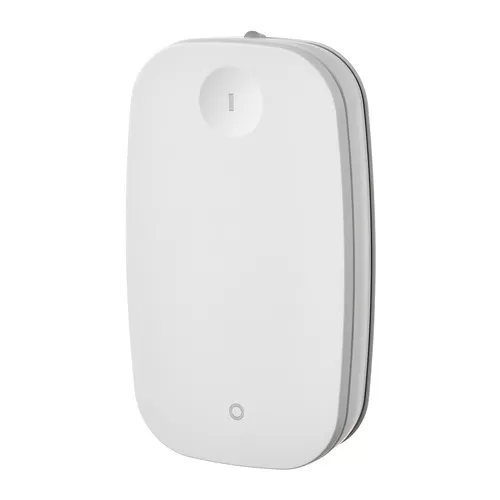
RODRET is a wireless control device that can be used to turn compatible lights on or off and adjust their brightness. It helps you customize lighting according to different activities, such as reading or relaxing.
When connected to a DIRIGERA hub, it can provide access to additional control features through the IKEA Home smart app. Check product and lighting compatibility before incorporating it into your smart home system.
2. DIRIGERA hub for smart products
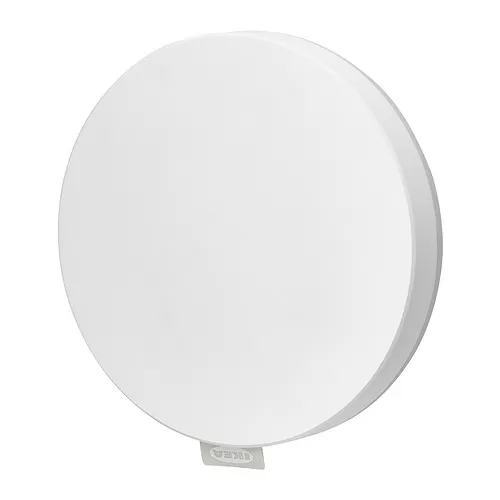
DIRIGERA is a hub that connects smart home products so they can be managed through the IKEA Home smart app. It helps integrate compatible lighting and other smart devices into a single system.
You can use this system to manage devices according to your daily needs. Adding a hub also provides more options for automation and centralized control, depending on the compatibility of the products being used.
3. SJÖSS 65W single-port usb charger
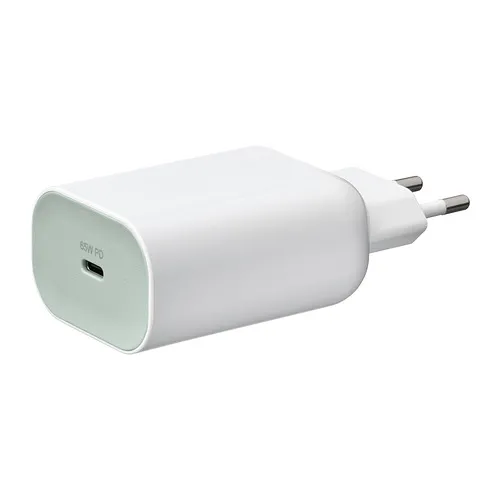
SJÖSS is a USB-C charger with an output of up to 65 watts, suitable for laptops and other compatible electronic devices. Its compact design makes it convenient to carry when working at the office or traveling.
This charger supports USB Power Delivery technology, providing charging power suitable for compatible devices. Check your device's power requirements and the charger's specifications before use.
4. LIVBOJ wireless charger
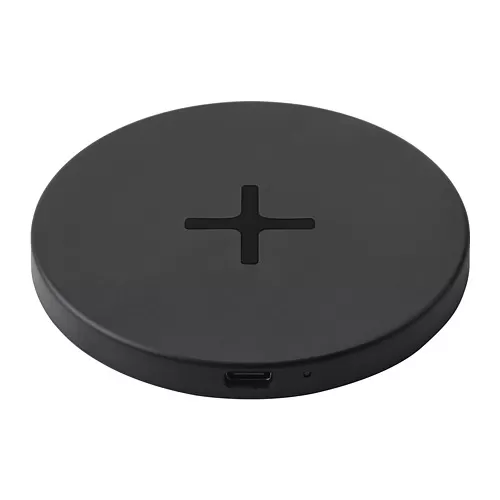
LIVBOJ is a slim wireless charging pad that is convenient to carry when traveling. It allows you to charge compatible smartphones without plugging a cable directly into the phone.
Using it is simple: connect the pad to a suitable power source and place your smartphone on top. Make sure your smartphone supports a wireless charging standard compatible with the product.
5. KALKSTUFF cable holder

KALKSTUFF is an accessory designed to keep cables organized and within easy reach. You can place it along the edge of a desk, behind a television, or in other areas where cable management is needed.
The product comes in a set of three holders in different sizes to accommodate cables of various thicknesses. It helps reduce cable clutter and makes it easier to access your electronic devices when needed.
Read also: Knowing the Power of an Electric Stove: How Many Watts is Right for Your Kitchen?
Understand electrical switch functions and find the right devices at IKEA
Electrical switches control the connections within a circuit, allowing devices to be turned on or off and adjusted according to specific needs.
Choosing the right switch makes operating electrical devices more convenient, while complementary electronic accessories can further enhance comfort and functionality at home.
IKEA offers a variety of products to support home lighting, charging, and cable management. Visit IKEA.co.id to discover electronic devices and accessories that suit your needs.
FAQ
A switch controls the electrical connections in a circuit, for example, by turning a light on or off. A power outlet provides a connection point through which electronic devices can receive electricity from the electrical installation.
A switch may become hot due to loose connections, worn contacts, or an electrical load that exceeds its rated capacity. If the switch becomes excessively hot, emits a burning smell, or shows signs of discoloration, stop using it and have a qualified electrician inspect it.
This can occur due to wiring errors, leakage current, or the characteristics of the electronic circuitry in LED lights. If the light remains fully illuminated, have a qualified electrician inspect the installation to identify the cause.
The lifespan of an electrical switch depends on component quality, frequency of use, and the condition of the electrical installation. Switches that become loose, are difficult to operate, or show signs of damage should be inspected and replaced if necessary.
Not all switches are equally compatible with LED lights, particularly dimmers and certain electronic switches. Check the specifications of both the light and the switch to ensure they can work together without causing operational issues.